


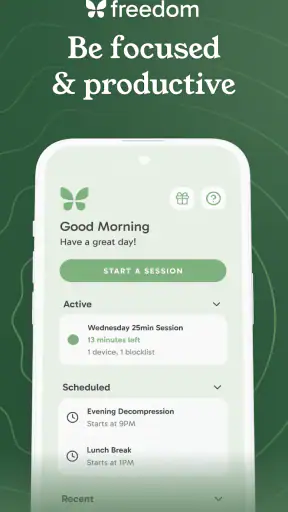
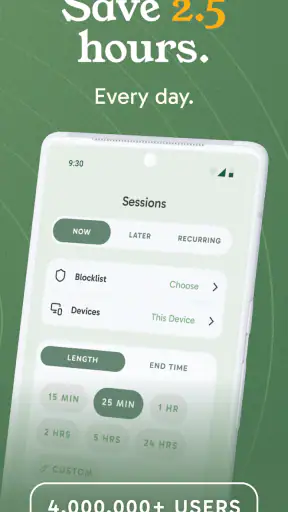
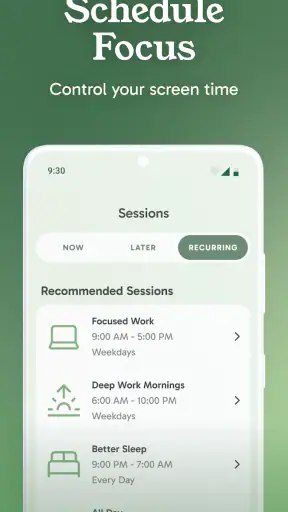
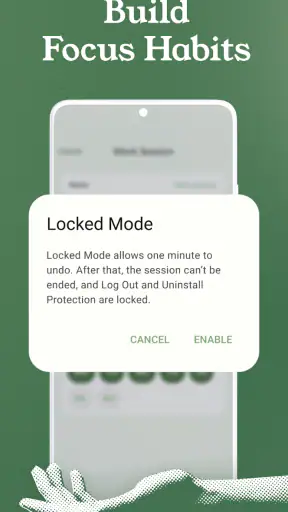
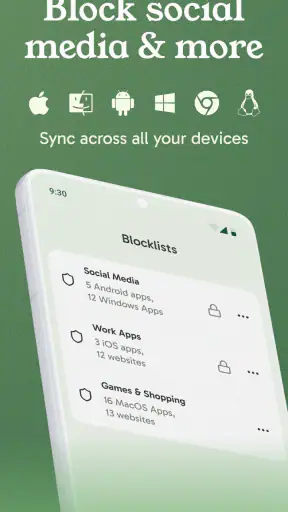
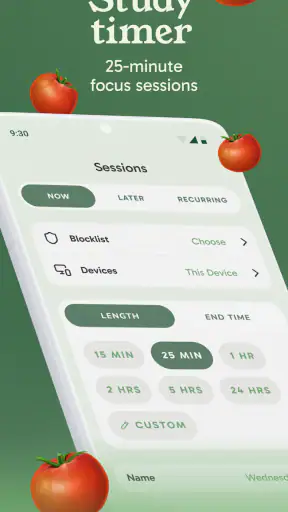
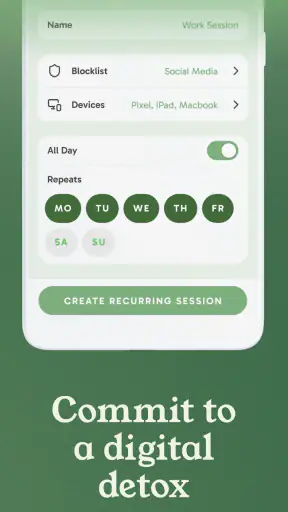

Most distraction tools fail at the exact moment I need them: when I am tired, rushing, or already reaching for the app I meant to avoid. Freedom: App & Website Blocker is built around removing that decision from the day. Instead of asking me to exercise willpower every few minutes, it lets me block selected apps and websites so I can work, study, read, or sleep with fewer interruptions. After using it as a productivity app, I found its real value less about dramatic digital detox and more about saving small pieces of attention that would otherwise disappear.
That distinction matters. Freedom is not a task manager, a note-taking tool, or a complete replacement for self-discipline. It is a barrier between me and the most tempting parts of my phone or computer. When the barrier is planned properly, it makes a normal routine easier to follow. When it is set up carelessly, it can become an annoying obstacle, especially if I block something I genuinely need. My overall impression is positive, but the app works best when I treat it as a scheduling tool rather than a panic button.
Why Freedom is useful when distraction becomes a routine
The recurring problem is usually not one long session of scrolling. It is the repeated interruption: checking a social feed while waiting for a document to load, opening a video app during a difficult paragraph, or visiting a familiar website whenever a task becomes uncomfortable. Each interruption looks harmless, yet the cost comes from restarting the original task. Freedom targets that loop directly by blocking the destinations that trigger it.
The app comes from Eighty Percent Solutions Corporation and sits in the productivity category. It is free to install, with optional in-app purchases ranging from $12.99 to $199.99 per item. That pricing range makes it important to understand what kind of commitment I am making before paying for anything. I would begin with the free experience and only consider an upgrade after identifying a repeated problem that the app genuinely solves for me.
Its public reception is encouraging: Freedom has a 4.5 average from around 8K ratings, with 818 written reviews and over 1M installs. Those figures do not prove that it will suit every routine, but they do suggest that the basic idea has reached a substantial audience. The Everyone content rating also makes it approachable for a broad range of users, including students and families who want a simple focus aid rather than a complicated monitoring system.
What I like about the concept is that it changes the environment instead of constantly asking me to make a better choice. A reminder saying “stay focused” is easy to dismiss. A planned block is more useful because it acts before the temptation appears. That is the first non-obvious benefit: the app is most effective when I configure it during a calm moment, not when I am already distracted.
The first setup should be deliberately small
My advice is to avoid blocking everything at once. I would start by listing the two or three destinations that interrupt work most often, then create a short session around one realistic activity. For example, a person writing a report might block social media and entertainment sites for the length of a writing block while leaving email available. Someone studying from a phone might block video and social apps but keep the calculator, browser resources, and messaging contact needed for the assignment.
This selective approach prevents a common mistake: confusing fewer distractions with no access at all. If I block every communication channel, I may spend the session worrying about missed messages or searching for workarounds. A narrower block gives me a cleaner test. I can see whether the problem was the distracting service itself or a broader issue with the task.
The app’s current version is 7.14.1, and it supports devices running at least Android 7.1. That makes it usable on many older Android devices, although the experience can still depend on the particular phone, operating-system behavior, and the services I want to control. I would check compatibility before building an important work routine around it, especially if I use more than one device or move frequently between phone and computer.
A useful setup trick is to name sessions by purpose rather than by the apps they block. “Morning writing,” “exam revision,” or “screen-free bedtime” is easier to understand than a technical list of websites. The name reminds me why the restriction exists, and it makes the schedule easier to adjust later. I also prefer starting with a session I can finish successfully. A short, reliable block builds trust more effectively than an ambitious schedule I cancel every day.
Planning beats emergency blocking
Freedom is more valuable when it becomes part of a repeatable rhythm. If I wait until I have already opened a distracting app, I am negotiating with myself at the worst possible time. If I plan the block before beginning work, the decision is already made. This is where the app can remove friction: it moves the difficult choice from the middle of a task to the beginning of the day, when my attention is still available.
There is also a practical trade-off. A block can protect concentration, but it can also interrupt a legitimate workflow. A website that is distracting in the afternoon might be essential for a project later. I therefore separate sessions by context instead of creating one permanent wall. The same destination can be blocked during writing and allowed during research. That sounds obvious, but it is the difference between a focused tool and a source of unnecessary frustration.
For families or shared devices, I would be especially careful about assuming that one person’s schedule fits everyone. Freedom is better suited to personal control than to an elaborate household rule system. A student can use it to protect study time, while a parent may prefer a broader device-management solution if the goal is supervision, reporting, or control across several people.
How it fits into ordinary days
A realistic work session
Imagine I need to prepare a presentation before lunch. Without a blocker, I open the document, notice a difficult section, and check a feed “for a minute.” That minute becomes several small visits, and each return to the presentation feels harder. With Freedom configured beforehand, the distracting destinations are unavailable during the planned work period. I still have to do the work, but I no longer spend energy deciding whether to take another quick look.
The time saved is not only the minutes spent browsing. It is the mental reset after each interruption. This is why I judge the app by reliability and reduced friction rather than by how strict it feels. A strong session is one in which I forget the block exists because I am absorbed in the task. If I spend the whole time testing whether it can be bypassed, the setup has not matched my real behavior.
A second useful scenario is administrative work. Bills, forms, and email often seem too dull to deserve protection, yet they are exactly the tasks that invite avoidance. I can create a focused window that blocks entertainment while leaving the services needed to complete the job. In this case, Freedom does not make the work enjoyable; it makes postponing it less automatic.
Studying without turning the phone into a brick
For study, selective blocking is especially important. A phone may contain the dictionary, camera, calculator, authentication tool, and reading material needed for the session. Blocking the entire device would be excessive. I would instead identify the apps that create the strongest pull and keep the practical tools available. This is one of the app’s useful trade-offs: a carefully chosen block supports study, while an indiscriminate one can make study harder.
I would also prepare alternatives before starting. If I normally reach for a video app whenever I need an example, I would save the relevant material or open the required reference first. A blocker cannot distinguish between productive and unproductive curiosity inside every service. My workflow still needs a little planning. Freedom removes the obvious detour; it does not replace research judgment.
Students who work in short bursts may appreciate starting with a manageable session rather than trying to protect an entire evening. The goal is to create enough uninterrupted time to make progress, then review whether the blocked list was accurate. If I repeatedly need one of the blocked tools, that is feedback about the session design, not necessarily a reason to abandon the app.
Evening routines and intentional downtime
Freedom can also help with bedtime or personal downtime, but the benefit depends on what I want the evening to feel like. Blocking selected entertainment and social destinations can stop the automatic “just one more check” cycle. It does not force me to sleep, read, or talk to someone; it simply removes a few easy routes back into the phone.
This is another place where naming and timing matter. A session called “sleep” creates a clearer intention than a random block with no context. I would avoid making the restriction so broad that I feel cut off from urgent contact or useful tools. Anyone who needs reliable access to work messages, family communication, or emergency information should design around those needs rather than assuming a total shutdown is always better.
What it removes from the daily workflow
The best friction reduction happens in three places. First, I do not have to repeatedly close the same app. Second, I do not have to decide whether a quick visit is harmless. Third, I can start a task without arranging a new defense every time. Those are small changes, but they add up across a day filled with interruptions.
Freedom also makes distraction visible in a useful way. If I keep creating blocks for the same service, I learn something about my habits. The app becomes a mirror for where my attention leaks, not merely a lock on a website. I can then decide whether the service should be blocked during certain tasks, removed from the routine entirely, or used at a planned time instead of whenever boredom appears.
That said, the app cannot solve distractions that do not come from apps or websites. If I avoid work by cleaning, snacking, reorganizing files, or opening unrelated documents, Freedom will not catch the underlying pattern. It is a targeted tool, and its narrowness is both its strength and its limitation. I like that it does not pretend to manage every aspect of concentration.
Where the experience can become frustrating
The main weakness is the possibility of blocking something I need unexpectedly. A website may serve both entertainment and essential information, and an app may be distracting at one time but necessary at another. This is why I would test sessions with low-risk tasks first. A blocker that interrupts an urgent workflow can cost more time than it saves.
There is also a psychological limitation. If I do not want to follow the session, I may search for another distraction or disable the plan. Freedom can raise the effort required to procrastinate, which is valuable, but it cannot create motivation from nothing. Users looking for detailed habit coaching, mood tracking, or a full personal productivity system may prefer a broader app alongside, or instead of, this focused blocker.
People who already use built-in digital wellbeing controls may wonder whether they need another utility. The built-in tools can be enough for simple daily limits and basic awareness. I would choose Freedom when I want a more intentional blocking routine centered on specific work or rest sessions. I would stay with system controls if my needs are limited to checking general screen time and receiving reminders.
Likewise, someone who needs strict parental supervision should compare it with dedicated family-management software. Freedom makes sense for self-directed focus: I decide what to block and why. It is less clearly suited to situations where another person needs reporting, remote administration, or a detailed set of household restrictions.
Cost, commitment, and who should use it
The free price makes trying the app straightforward, but the in-app purchase range means I would not treat every paid option as automatically worthwhile. The right question is whether repeated sessions are saving meaningful attention in my actual routine. If I only need occasional help during exams or a busy project, a limited use may be enough. If I rely on scheduled blocks across several parts of the day, the paid structure may deserve closer consideration before committing.
I would recommend Freedom to people who know exactly which apps or websites derail them and want a practical barrier without adopting a complicated productivity method. It is particularly suitable for remote workers, students, writers, and anyone whose phone is both a useful tool and a reliable source of avoidance. It is also a good fit for people who prefer planning a restriction once rather than repeatedly relying on reminders.
I would be more cautious for users whose distraction is mainly offline, users who need constant access to many changing websites, and anyone seeking a complete digital wellbeing dashboard. It is also not my first choice for managing other people’s devices. In those cases, built-in limits, family controls, or a habit-focused system may be a better match.
My final assessment
After looking at Freedom as a daily utility rather than a promise of perfect concentration, I think its strongest feature is the decision it removes. It gives me a way to protect a task before temptation arrives, and that can save more attention than repeatedly correcting myself afterward. The app is most convincing when the blocked list is small, the session has a clear purpose, and the timing matches a real routine.
My recommendation is to use Freedom as a planned boundary, not as a substitute for understanding your habits. Start with one recurring problem, build a narrow session, and adjust anything that interferes with legitimate work. That approach keeps the useful protection while avoiding the frustration of an overpowered block.
With its free entry point, Everyone rating, broad installation base, and continued availability for older Android versions, it is easy to see why this productivity app appeals to many people. The developer, Eighty Percent Solutions Corporation, has focused the experience on a clear job: reducing access to distractions. For me, Freedom: App & Website Blocker is worth trying when lost attention comes from the same few destinations every day. It is not magic, but when used deliberately, it can make starting and finishing important work noticeably easier.


